 +


When your hard drive fills up with tens of thousands of photos, design assets, client mockups, and screenshots, standard folder browsing breaks down. Most people start typing queries like image search software for pc free download into Google because they want what web search engines offer, but applied directly to their local desktop files.
Finding a specific photo should not mean opening fifty folders or guessing whether a file was named IMG_4021.JPG or Final_Design_v2.psd. Let us look at what desktop image search software actually does, why online tools fall short, and how you can test local visual search on your computer today.
The Trap of Online Reverse Image Tools
When people need to find an image, their first reflex is often to use online tools like Google Images, TinEye, or Bing Visual Search. While these web tools work well for finding where a public picture lives on the internet, they are unsuited for searching your own computer.
- Slow manual uploads: You have to upload images one by one through a browser. If you have 50,000 photos across your drives, you cannot upload your personal library to a website.
- Privacy risks: Your personal snapshots, client work, invoices, and family albums should not sit on a third-party server. As explored in our guide on private AI photo search, uploading private files creates data security concerns.
- No access to your drives: A website cannot scan your external drives, your project folders, or your archive archives.
If you want to search files sitting on your PC or Mac, you need software that runs directly on your operating system.
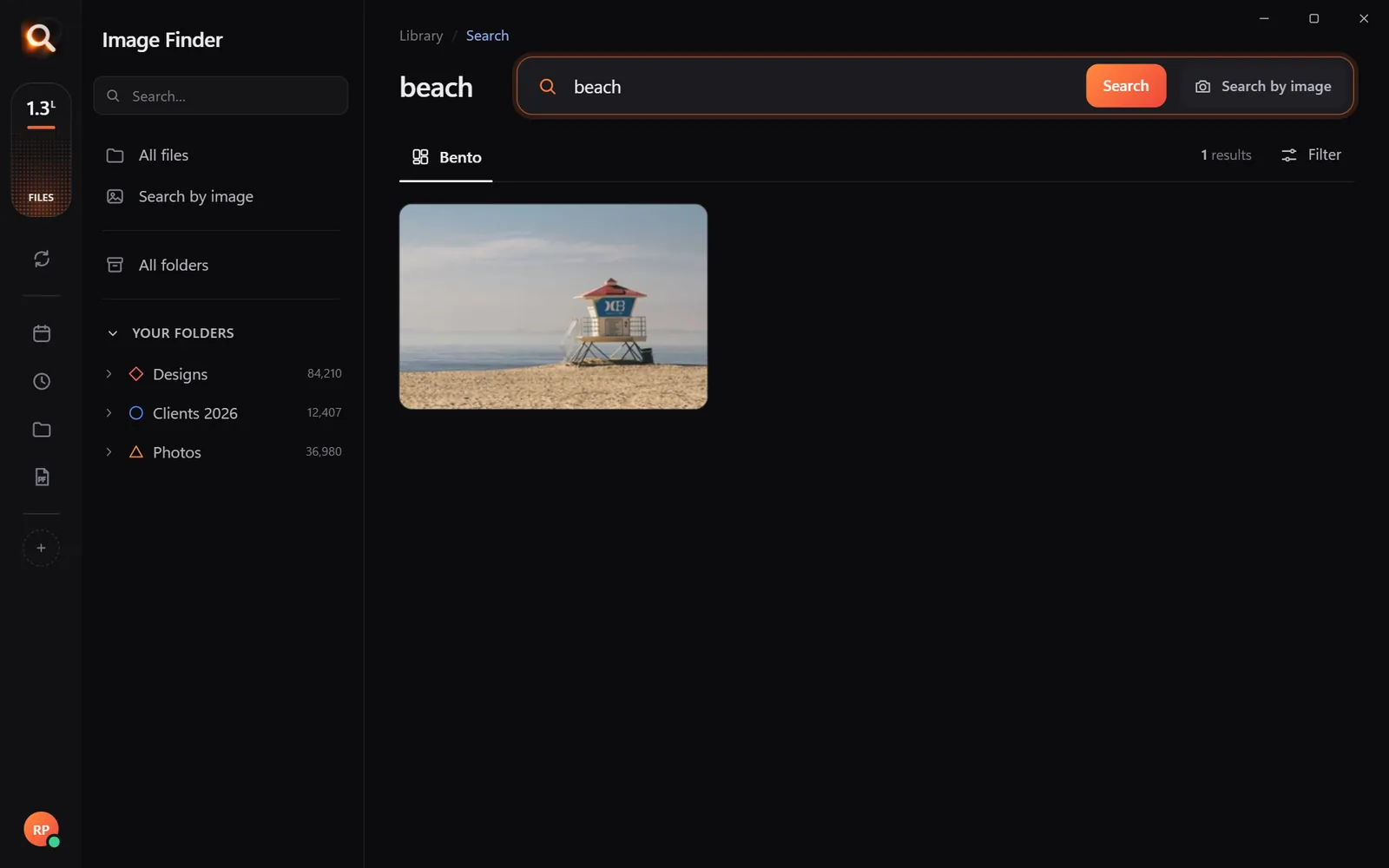
Why Default Windows and Mac Search Fails for Pictures
Both Windows and macOS include built-in search tools. Windows Search and Mac Spotlight do a decent job with text documents, but they struggle with visual media.
Built-in search relies almost entirely on filenames, folder names, and basic metadata (such as camera EXIF dates). Unless you spend hundreds of hours manually adding tags and keywords to every single file, Windows Search will never know that DSC_0982.JPG shows a red car parked by a brick wall or that an unlabeled PDF contains a specific logo.
Tools like Voidtools Everything are lightning fast at locating file names, but as we covered in our breakdown of name search versus content search, name-matching alone cannot tell you what is actually inside an image.
What to Look For in Image Search Software for PC Free Download
If you are searching for image search software for pc free download, you should look for tools that solve the visual problem without compromising your computer's speed or security.
Here are the critical features you need:
- Offline, on-device processing: All visual analysis should happen on your own hardware. Your photos should never leave your computer.
- Natural language understanding: You should be able to type what you remember—such as "sunset over lake" or "birthday party with balloons"—even if the file is named with random numbers.
- Search by image: You should be able to drop in a sample image to find exact copies and look-alikes across your drives. Learn more in our guide on reverse image search on your computer.
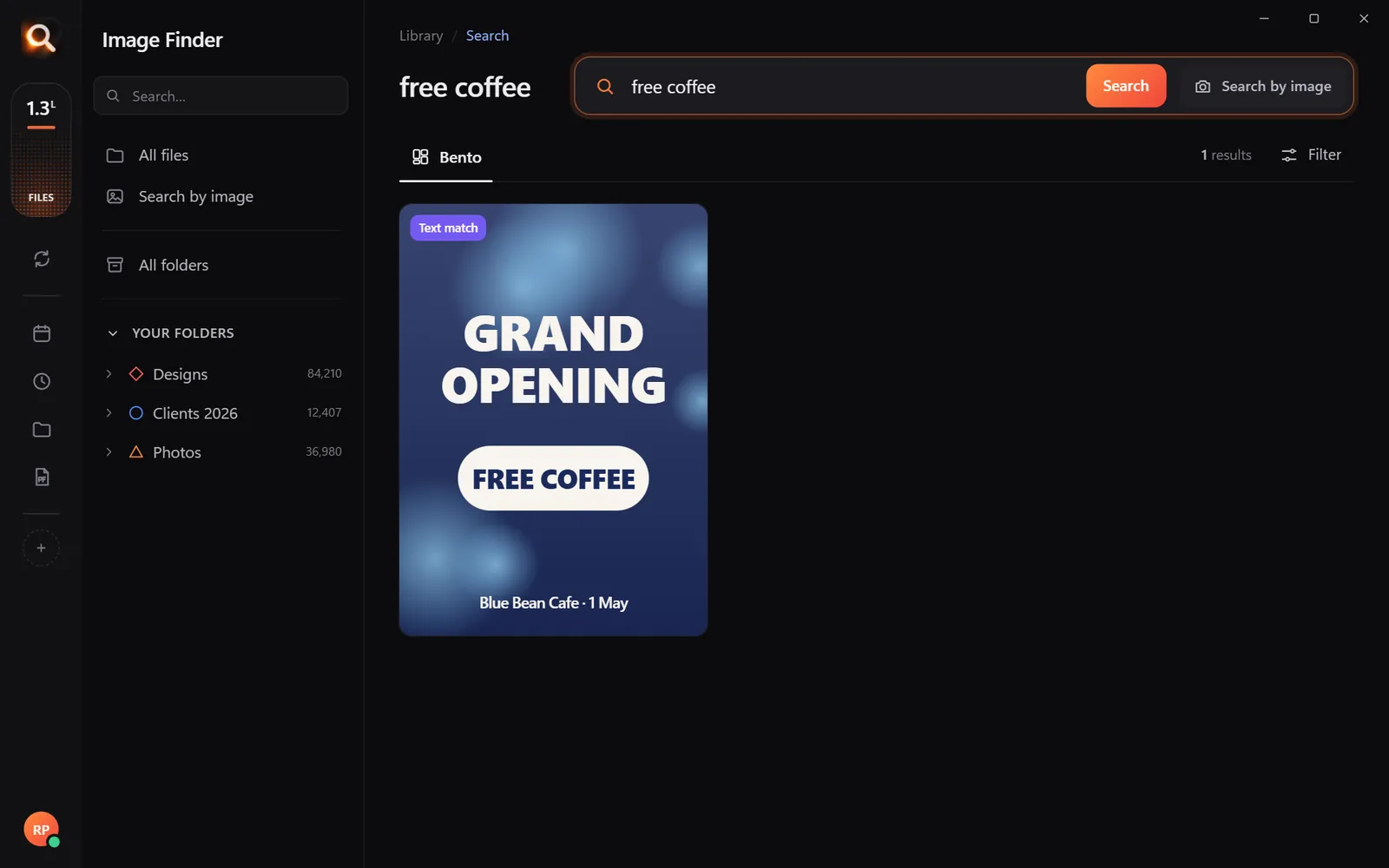
- Text recognition (OCR): The software must read words inside photos, scanned receipts, infographics, and PDF pages.
- Broad format support: It must handle standard JPGs and PNGs, but also RAW camera files, Photoshop PSDs, Illustrator AI files, vectors, and documents.
- Read-only safety: A good search tool never moves, renames, or deletes your originals. It simply helps you find them.
| Feature | Web Reverse Image Tools | Built-in Windows Search | Dedicated Desktop Image Search (Image Finder) |
|---|---|---|---|
| Works offline | No | Yes | Yes |
| Searches by visual content | Yes (public web only) | No | Yes (your local files) |
| Reads text inside images | Rare | Limited | Yes (all images and PDFs) |
| Keeps files 100% private | No | Yes | Yes |
| Finds cropped motifs / parts | Rare | No | Yes |
| Supports PSD, AI, RAW, ZIP | No | No | Yes (150+ formats) |
How Image Finder Solves Desktop Search
Image Finder is built specifically for desktop users on Windows 10 and 11, as well as Mac (both Apple Silicon M chips and Intel). It is engineered to search libraries of over 130,000 files in about a tenth of a second.
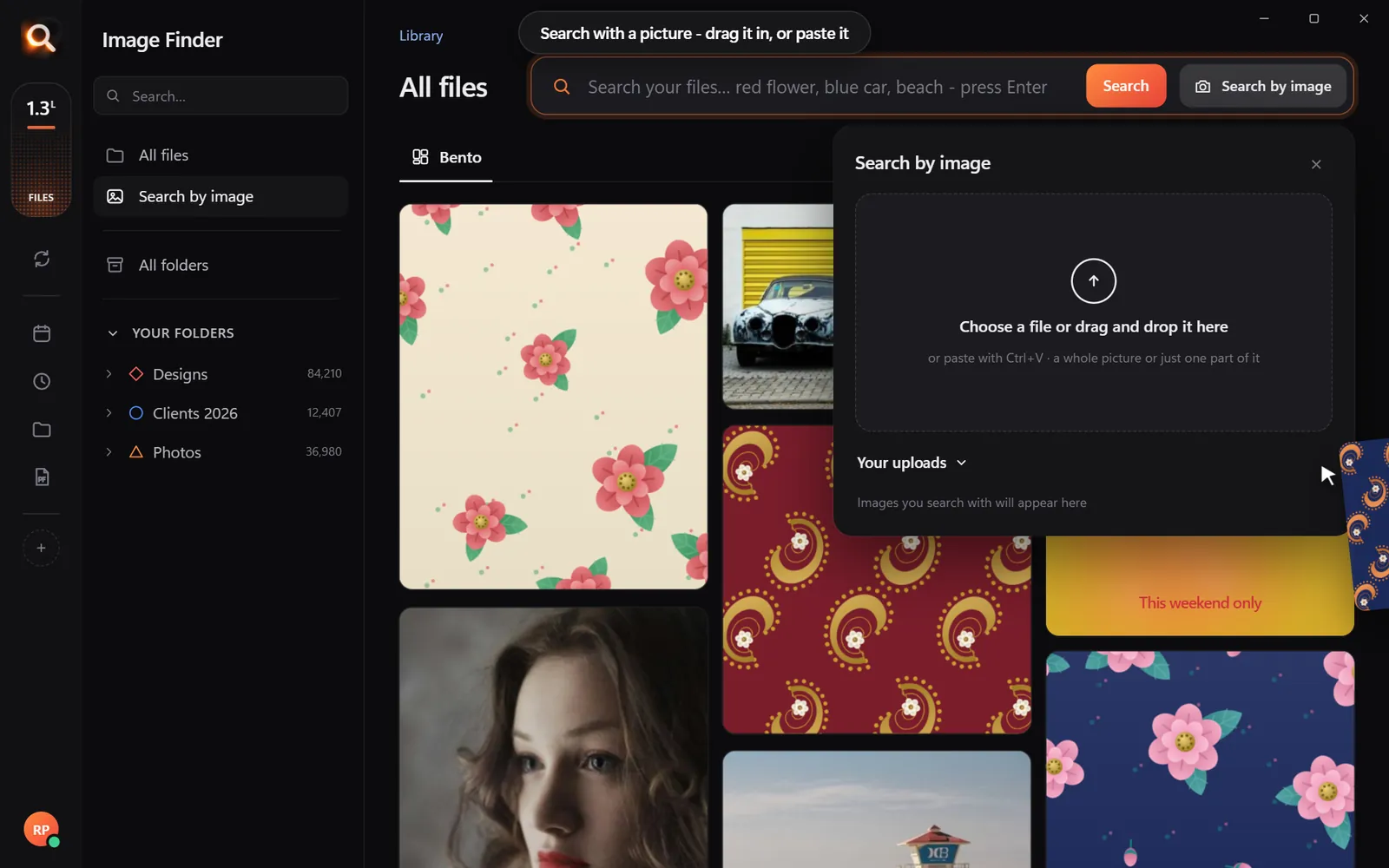
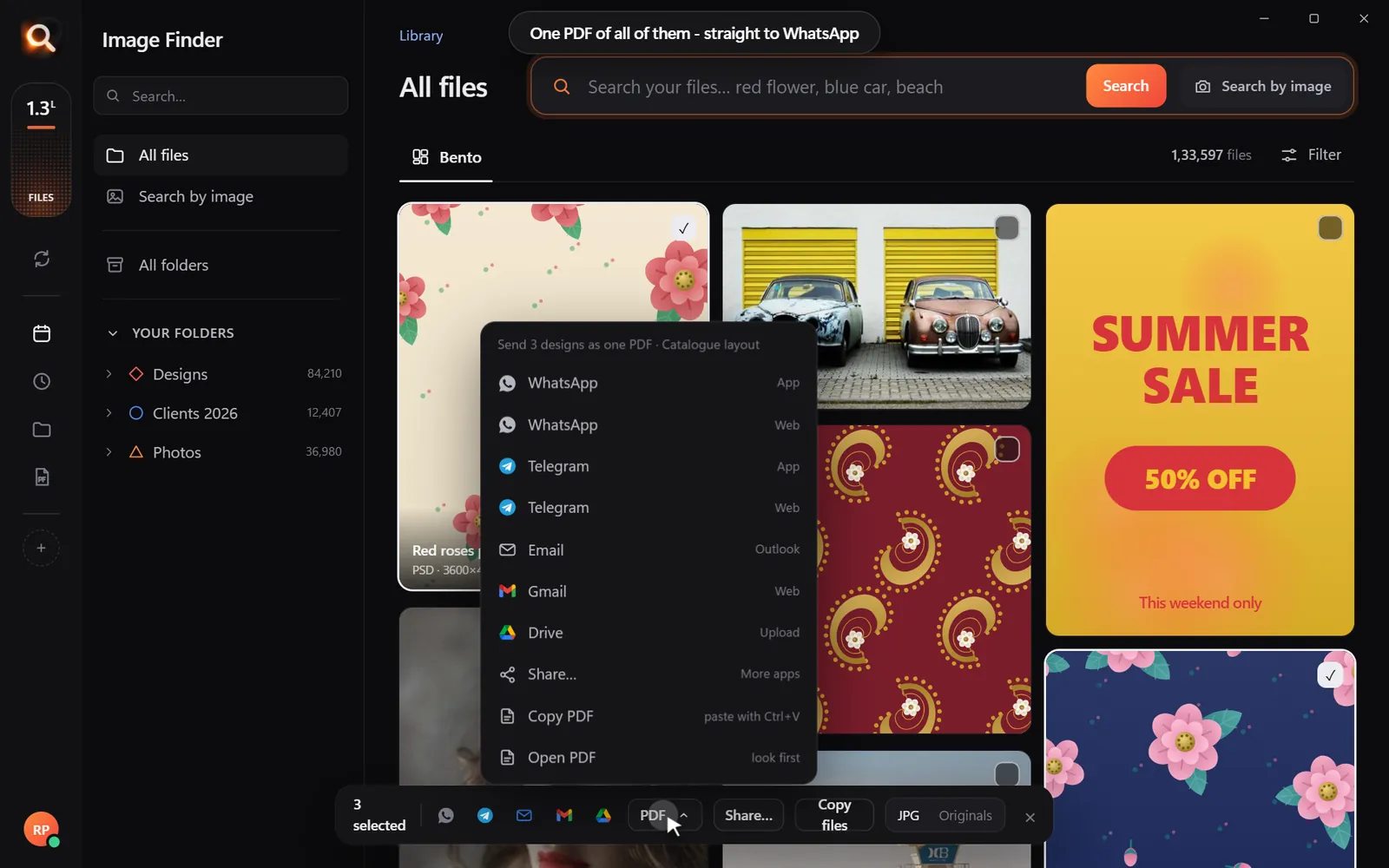
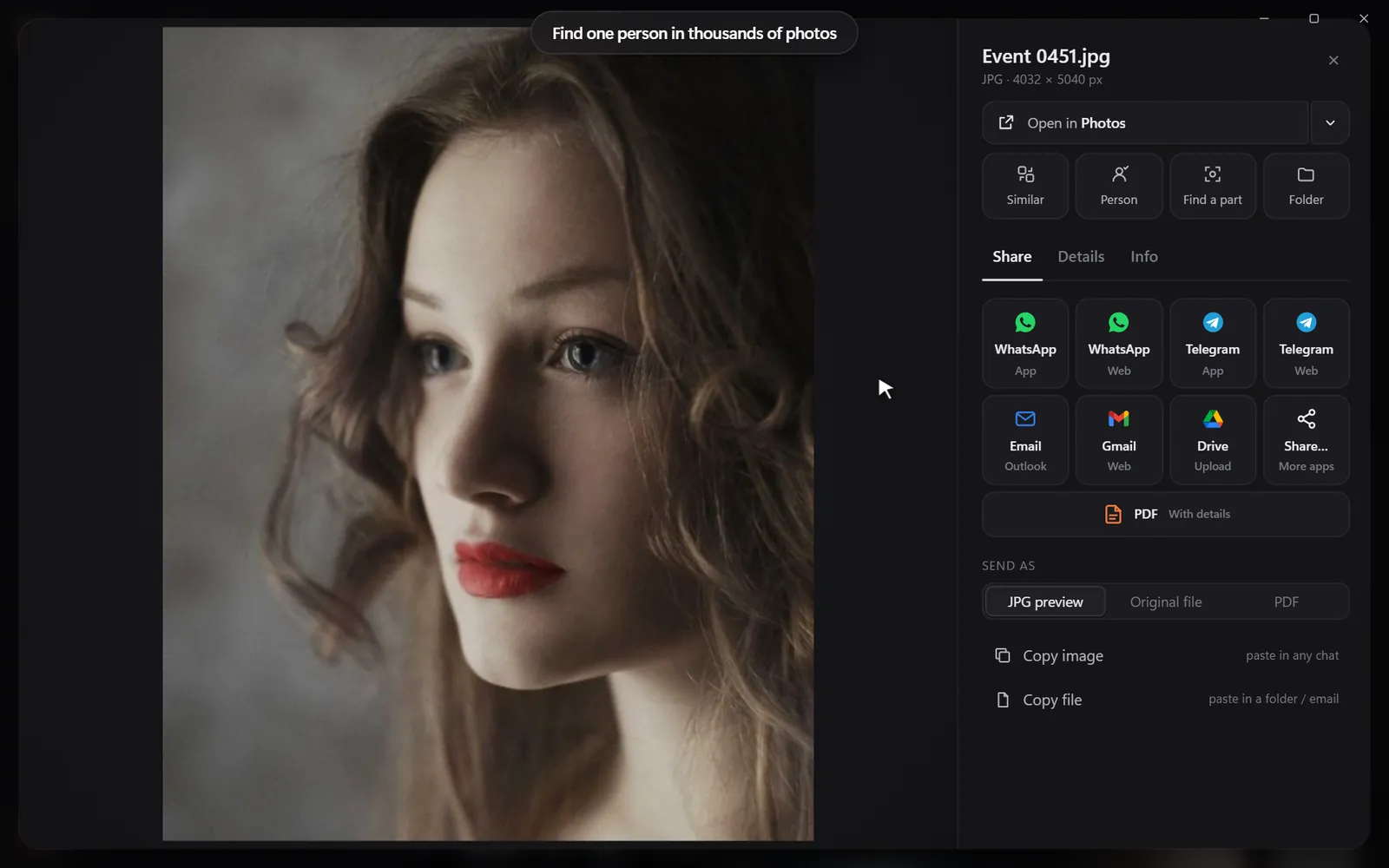
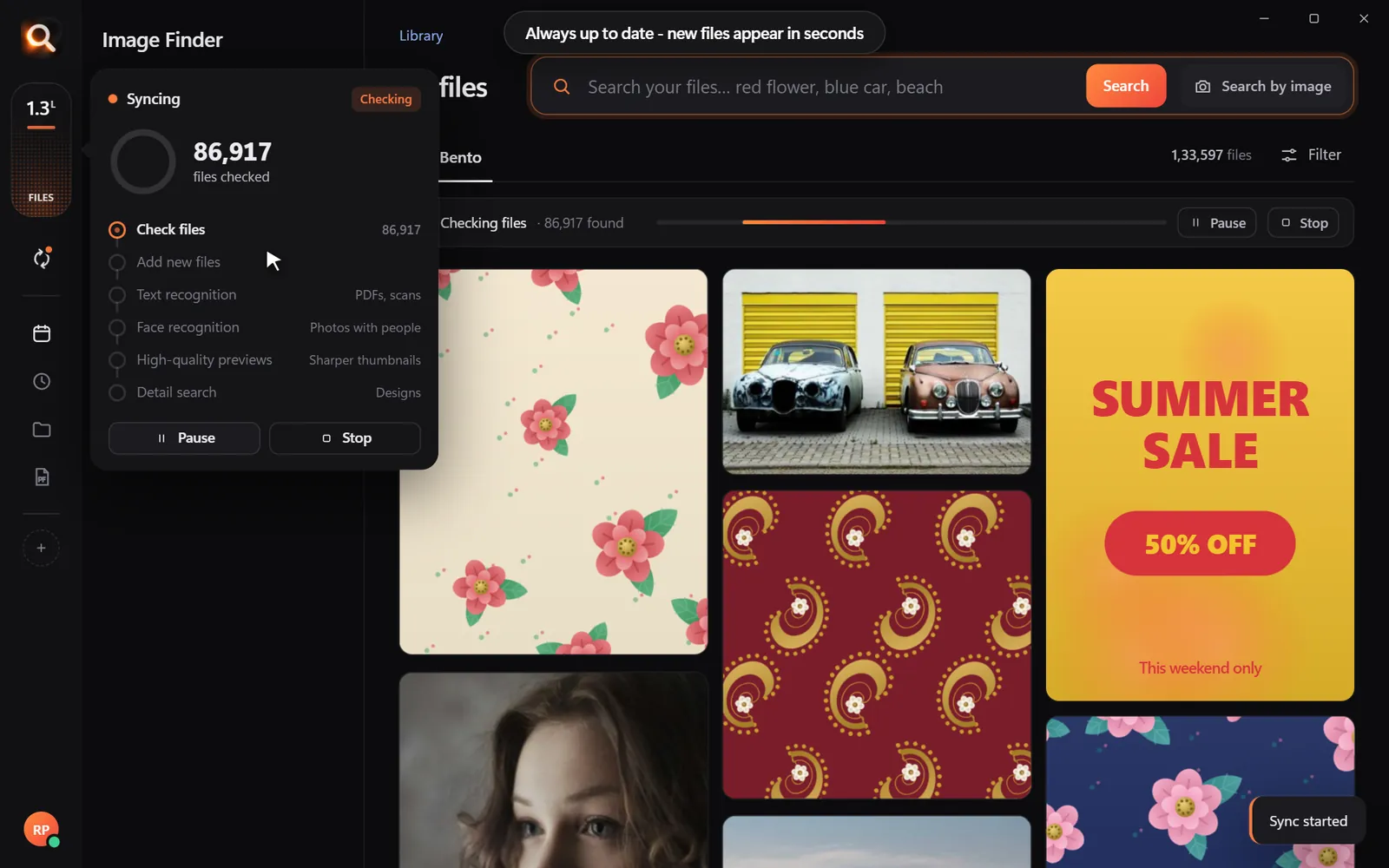
Instead of making you sort folders by hand, Image Finder scans your selected directories once and lets you search in several practical ways:
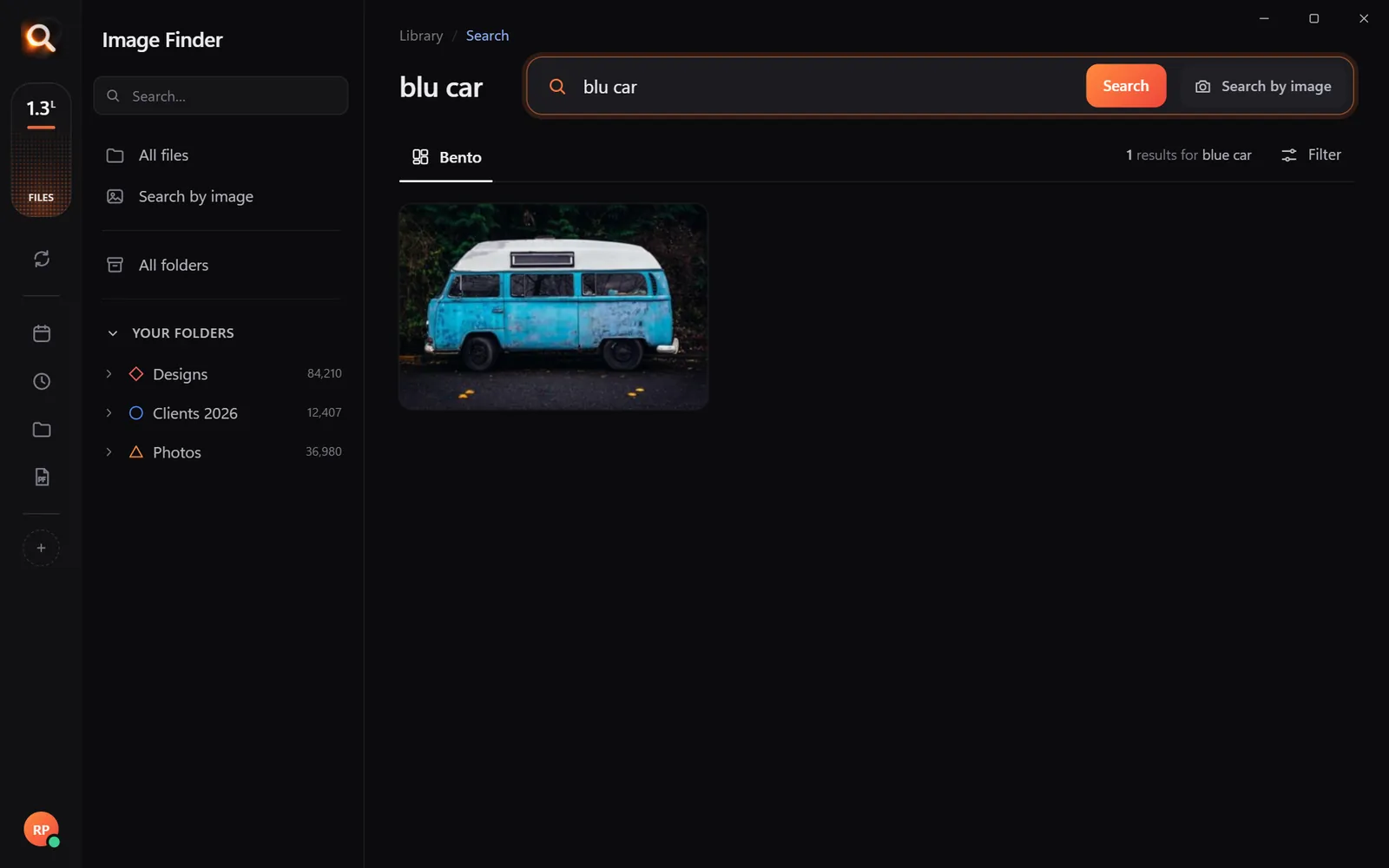
- Type your thoughts: Search in everyday language like "red flower border" or "blue truck". Typos and mixed languages work smoothly.
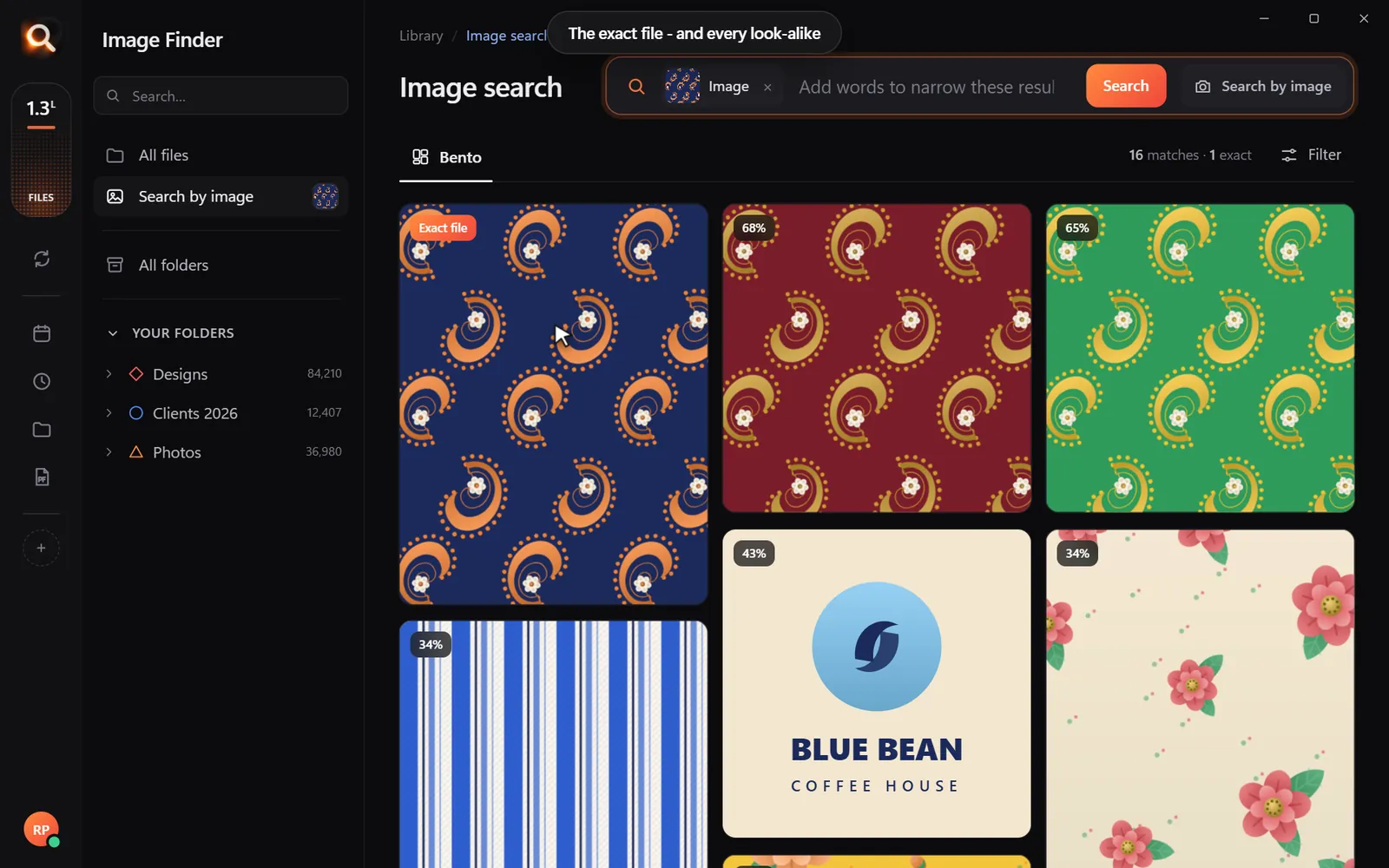
- Drop a picture: Paste or drop an existing photo to see exact copies first, followed by visually similar files scored by similarity.
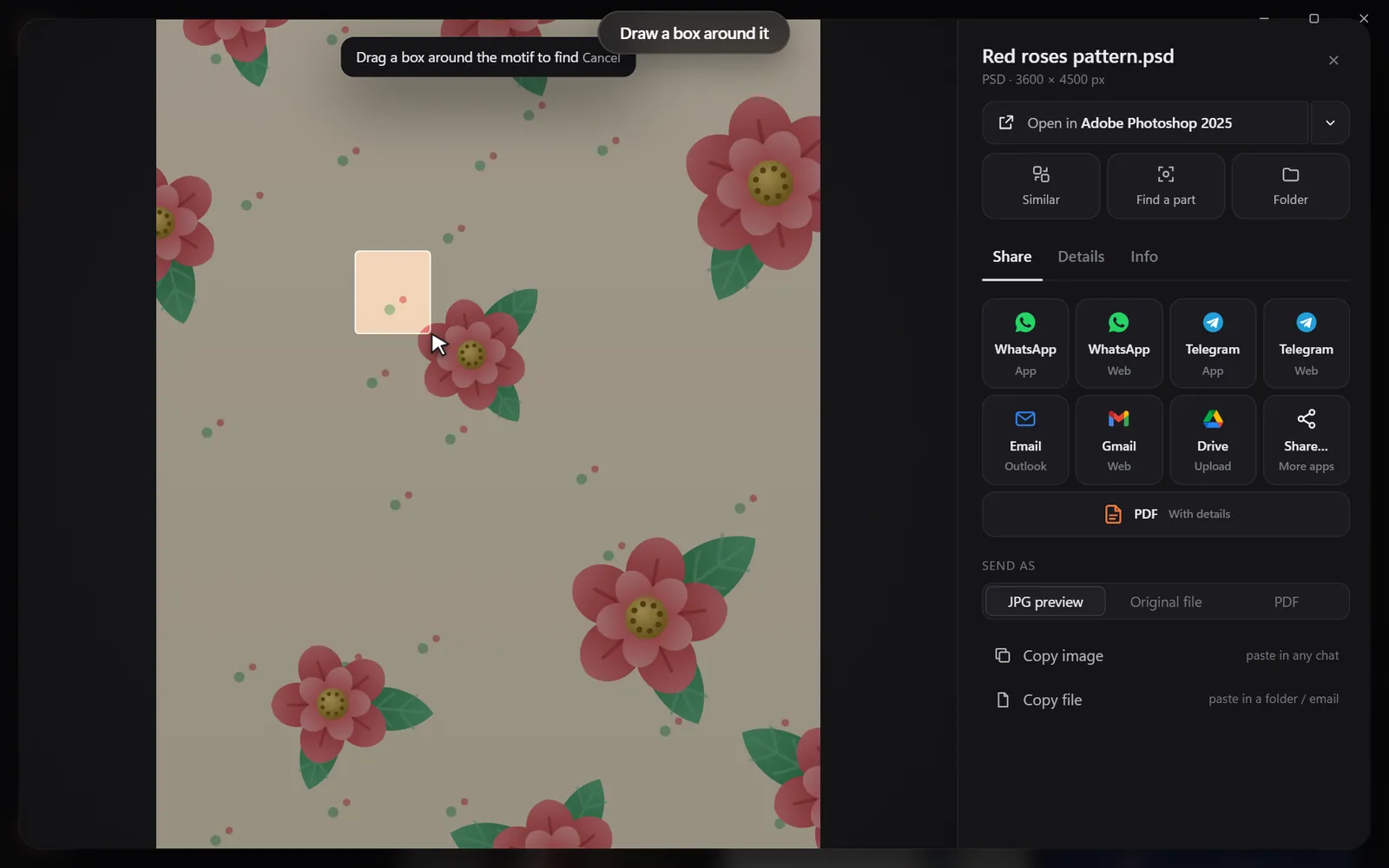
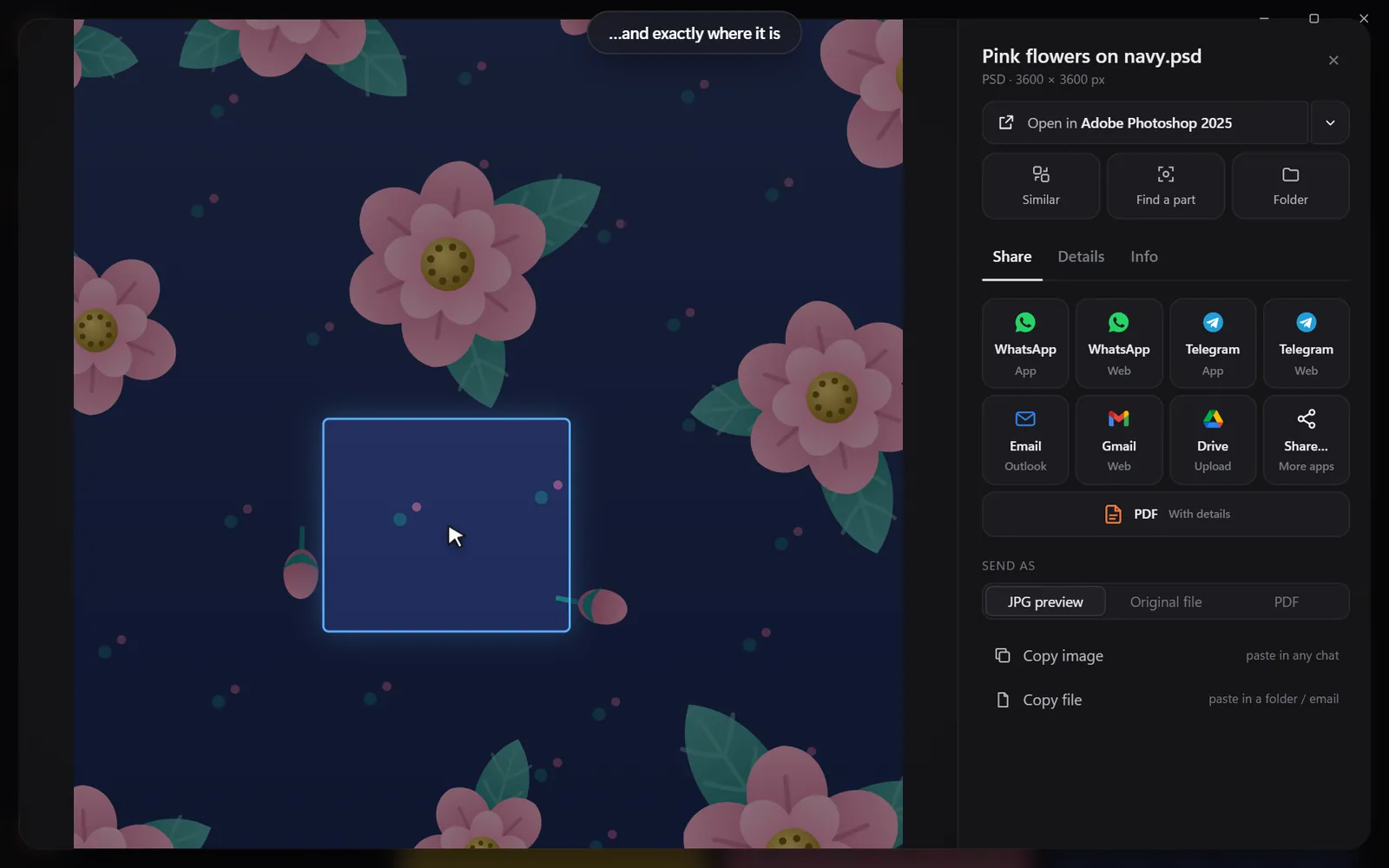
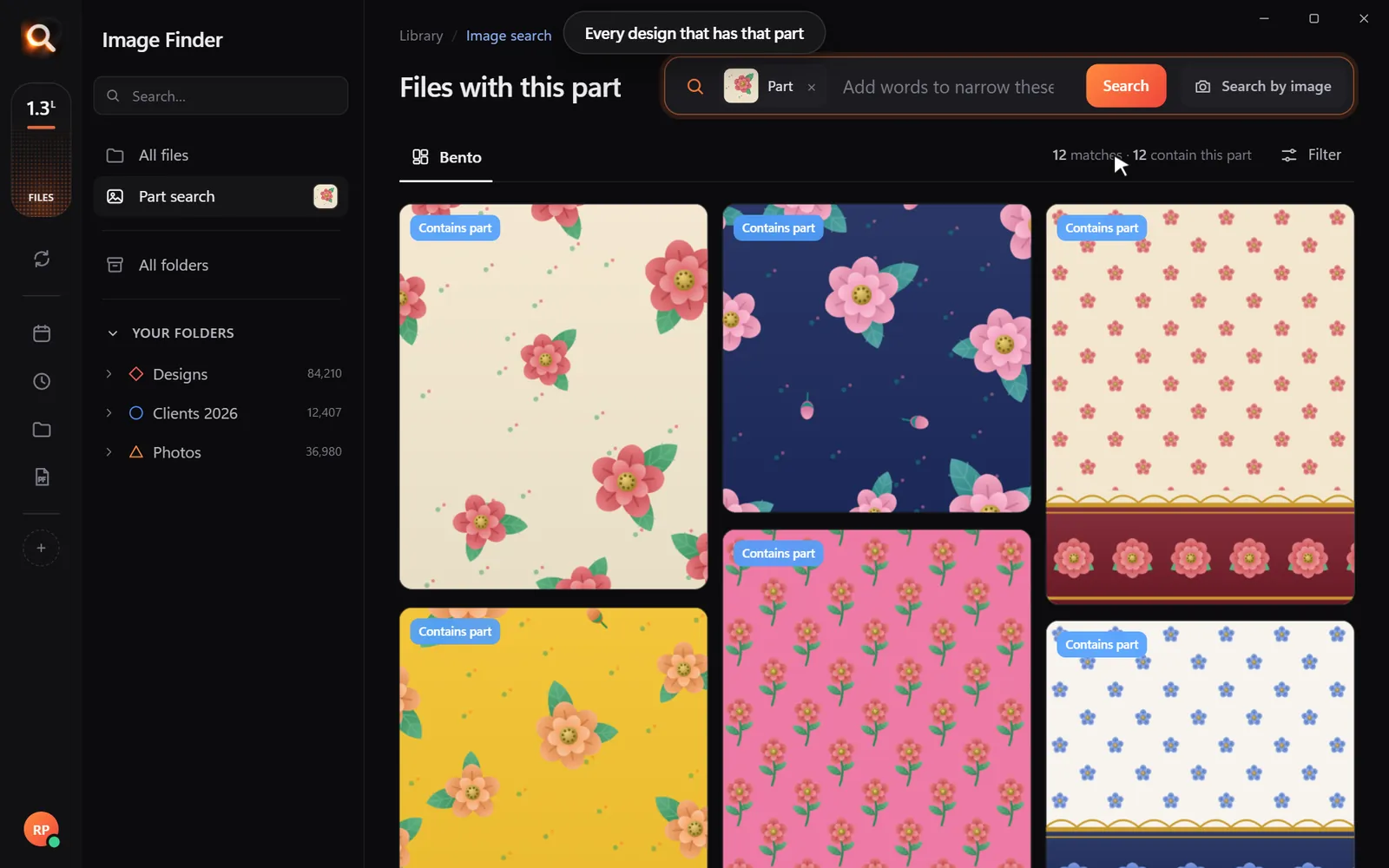
- Crop a section: Use the crop tool to draw a box around a single motif, pattern, or logo inside a picture. Image Finder scans your library to find every design containing that specific part.
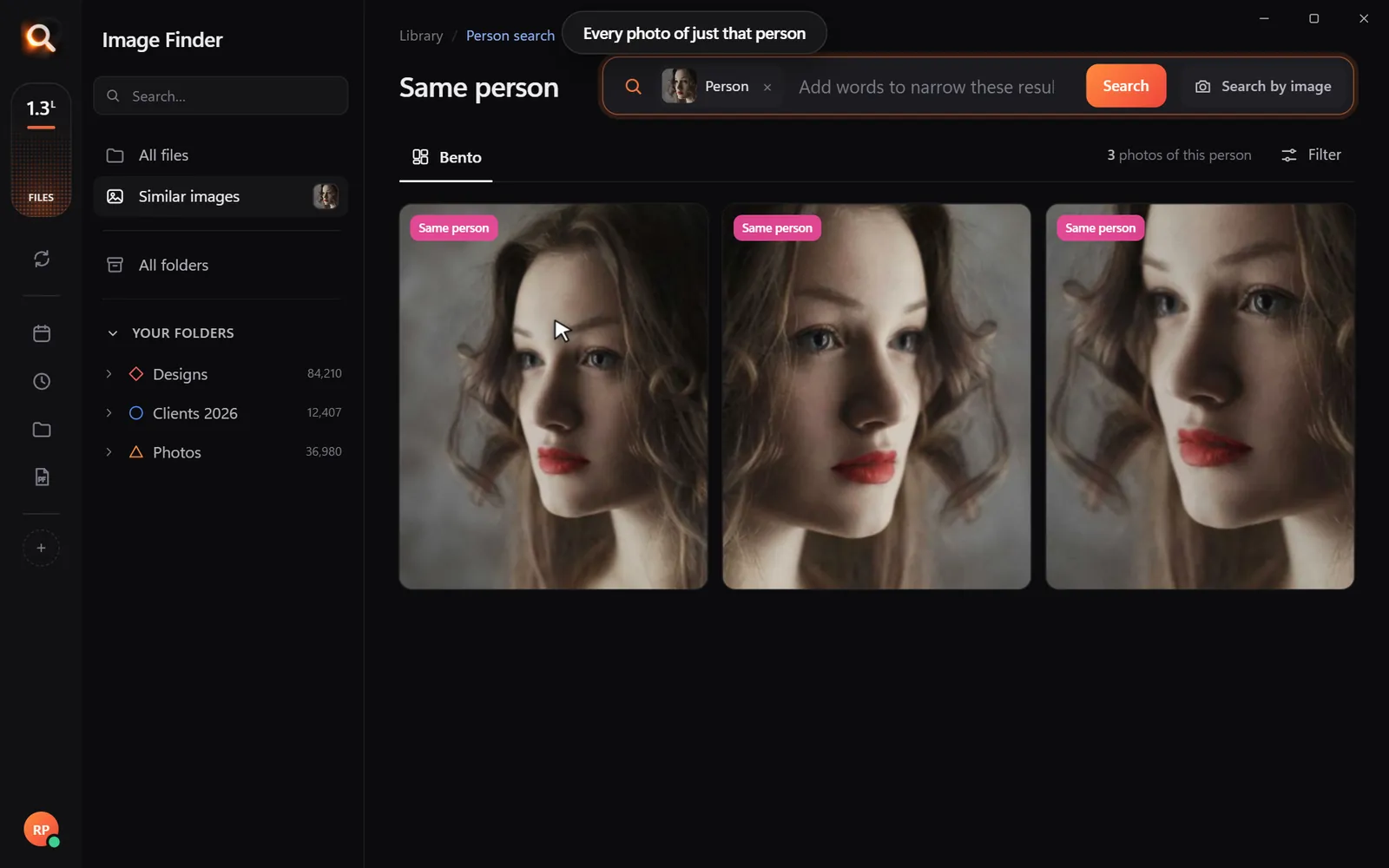
- Find people: Locate every photo of a specific face across years of family pictures or event shoots.
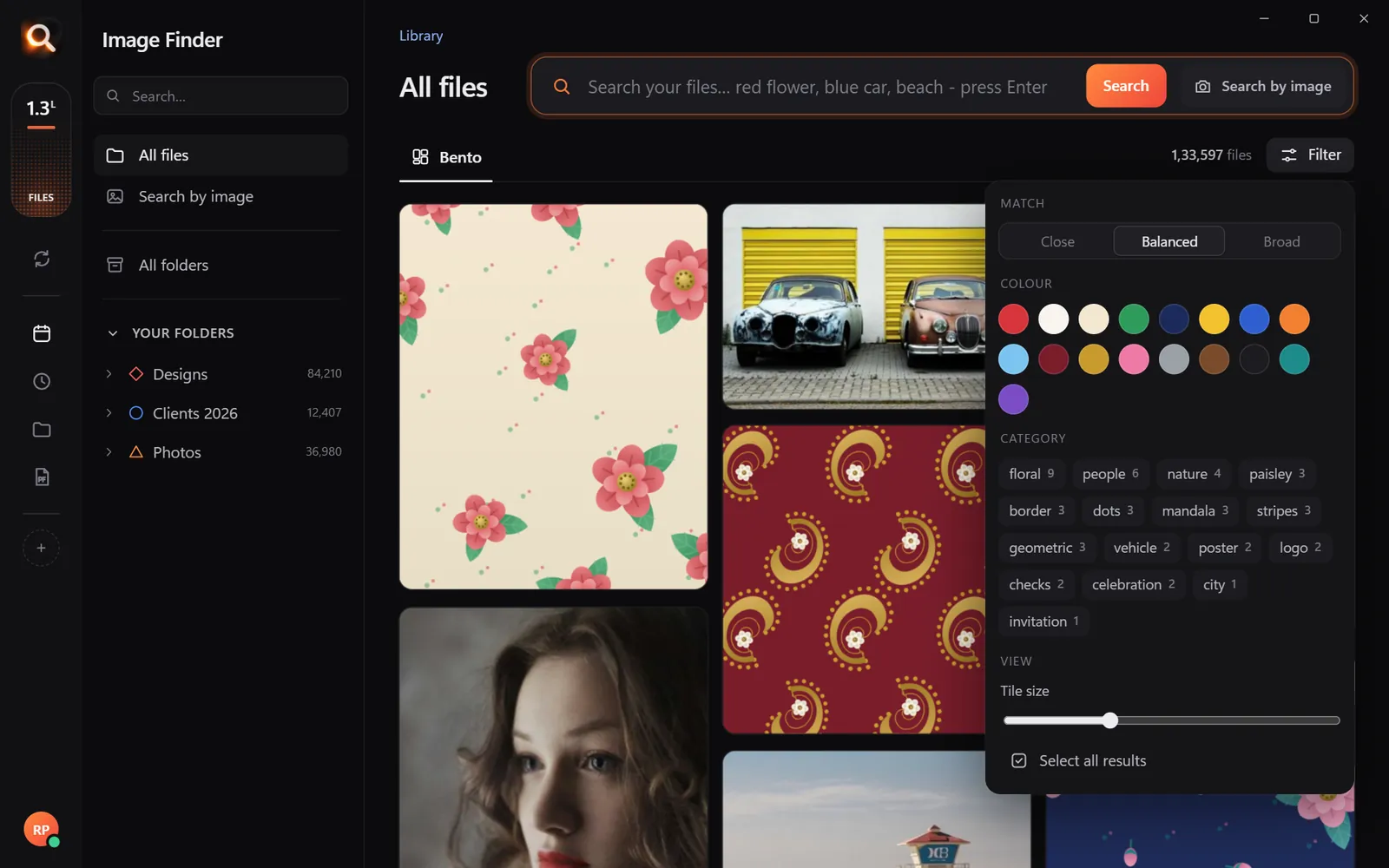
- Filter by colour and category: Filter results using 17 color swatches or narrow matches down by category (floral, nature, vehicle, people, architecture).
- Inside archives: Files tucked inside ZIP, RAR, or 7z archives are indexed without needing manual extraction.
A tiny sample library in your browser. The app does this with AI across every file on your computer - try the real app in your browser.
Because Image Finder operates entirely on your PC, it works offline. Your files never get uploaded to a cloud server, making it completely private for sensitive work files, personal photos, and business documents.
Step-by-Step: How to Test and Download Image Finder
If you want to see how local visual search works before installing anything on your hard drive, you can test it directly in your web browser.
Image Finder is paid desktop software with flexible 1, 2, or 3-month plans (starting from US$4 a month, paid once with no recurring surprise subscriptions). Every plan includes every feature and allows you to search 150+ file formats locally on your computer.
If you have colleagues, fellow photographers, or designer friends dealing with messy file archives, you can also use the referral program at /refer. When a friend starts using Image Finder through your link, you get 15 free days added to your licence, and they get 5 extra days.
Questions People Ask
Can I use image search software for PC without an internet connection?
Yes. True desktop image search software like Image Finder processes everything locally using your computer's CPU and graphics hardware. Once installed, your searches run completely offline. Only the software licence key checks in online.
Will desktop image search delete or rename my existing files?
Image Finder is strictly read-only. It scans and indexes the visual content of your files, but it will never move, rename, compress, or delete your files. Your folder structures remain untouched.
How is this different from Google Reverse Image Search?
Google Reverse Image Search searches the public internet for images hosted on public web servers. It cannot see or search the private files on your computer's hard drives or external storage. Desktop image search software indexes your own local drive.
Windows and Mac. Private, offline, no subscription.