Kurti & suit mockup online - top, bottom and dupatta
or drop it here · nothing is uploaded
- Upload
- Adjust
- Download
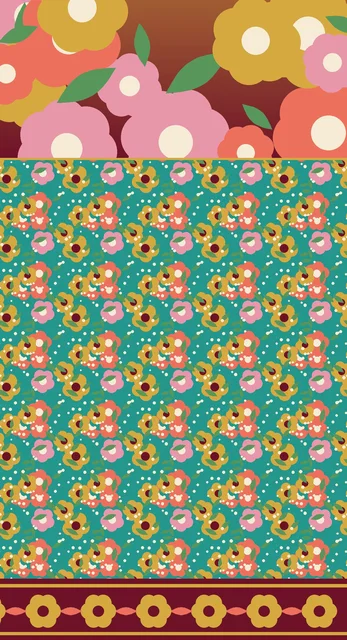
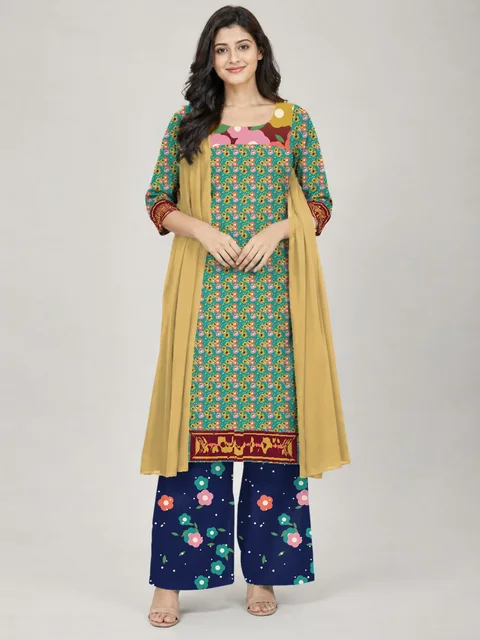
How to use the kurti & suit mockup
- Add the kurti (top) designA full kurti panel or just the fabric. A neck / yoke placement and a hem border in it are found by themselves.
- Add the bottom and dupattaEach from its own file - or choose a plain colour for them.
- Choose a photoKurti alone, or the full suit with bottom and dupatta, on a model or without.
- Download and sendDownload the mockup and share it with your client or on your catalogue.
Made for
- Kurti and suit designers checking a design before sampling
- Dress material and suit set sellers making catalogue pictures
- Boutiques showing customers how a fabric looks as a kurti
- Online sellers making quick pictures for a new listing
About this tool
A kurti or suit is made of more than one design: the top (with its neck or yoke placement and hem border), the bottom - salwar, palazzo or pants - and the dupatta. Here each comes from its own file, so you can try any top with any bottom and dupatta. The neck placement and the hem border inside the top design are found by themselves and put on the neck and the hem of a real photo, with the folds and light of the cloth. Nothing is uploaded - the mockup is made in your browser.
Questions
How do I make a kurti mockup?
Add your kurti (top) design and choose a photo. A neck / yoke placement at the top of your design and a hem border at the bottom are found by themselves and put on the neck and hem of the kurti. A plain fabric design simply covers the whole kurti.
Can I show the full suit - kurti, bottom and dupatta?
Yes. Choose Full suit, then add the bottom and the dupatta - each from its own file. If you have no file for one of them, pick a plain colour for it.
Why separate files for the top, bottom and dupatta?
That is how suit designs are made and sold - each part is its own design. Separate files also let you try any top with any bottom and dupatta.
Which file types can I use?
JPG, PNG or WEBP. Export CorelDRAW or Photoshop files as JPG first.
Are my designs uploaded?
No. The mockup is made in your browser, on your own computer.
Is this a kurti mockup PSD?
No PSD needed - it is a kurti mockup online. Add your kurti design and it is put on a real model photo with the folds and light kept, then download the JPG.
Can I use it for dress material and salwar suit catalogues?
Yes. Add the top, bottom and dupatta of a suit set and download all photos in one ZIP for your catalogue or WhatsApp group.
More tools
Saree mockup
Put your saree design on a model, a mannequin or a folded saree - body, border, pallu and blouse each in its place.
Shirt & T-shirt mockup
See your shirting or T-shirt print on a man - or on a hanger and laid flat.
Repeat pattern maker
See your motif as fabric: straight, half-drop, brick or mirror repeat - and download the repeat tile.
CDR viewer & CDR to JPG
See any CorelDRAW CDR file without CorelDRAW, and save it as JPG or PNG.
Watermark & design number
Stamp your name, logo and a running design number on 100s of designs at once - before you send them.
Colourway maker
One design, many colour options: change its colours in a click and download every colourway.